
How to modify the withdrawal account?
Operating Procedures:
Account > Cash Back Balance > Withdraw > Change
Follow this guide to modify your withdrawal account:
Step 1
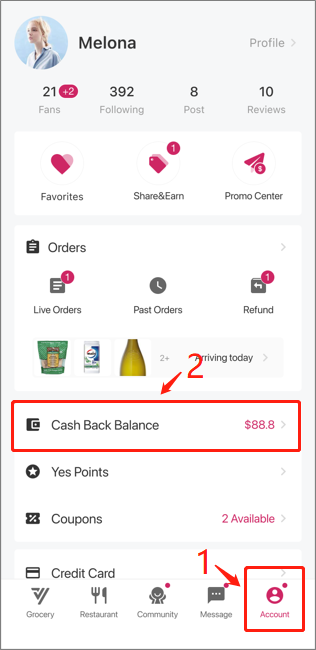
Open APP, click on “Account” followed by “Cash Back Balance“
Step 2
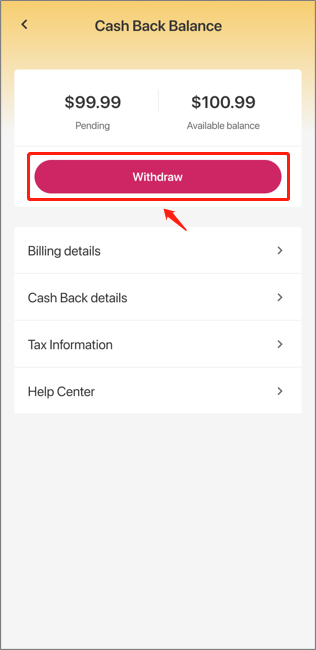
Click on “Withdraw“
Step 3
Choose “Change” next to the receiving account then rebind your PayPal account
If you need further assistance, please feel free to submit your request to Customer Care Team through our Help Center and we will contact you as soon as possible.